🤖 Usermaven now speaks MCP: connect your workspace to any AI client
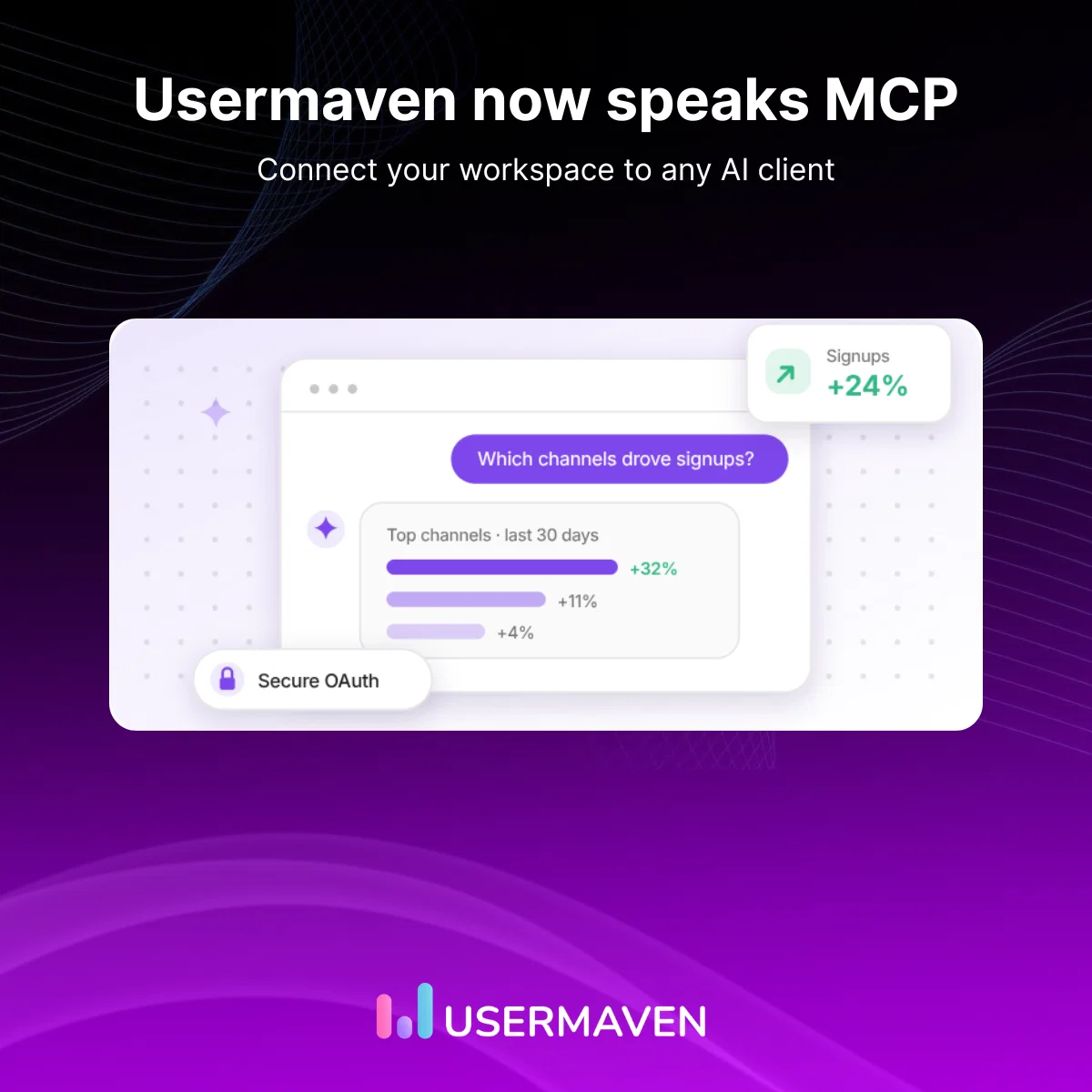
We are excited to share that Usermaven now speaks MCP. You can connect your workspace to Claude, ChatGPT, Claude Code, Cursor, Codex, or any MCP-compatible client and start asking questions about your traffic, digging into attribution, and building reports, all by chatting with the AI tools you already use.
This release also introduces a Measurement Trust Center that gives you a single score for your workspace data health, an AI traffic dashboard to see how AI-driven sources are sending visitors to your site, an expanded developer API, and a redesigned onboarding experience.
🔌 Connect Usermaven to any MCP client
Usermaven now has a public MCP server. Connect your workspace to the AI tools you already use and interact with your analytics through conversation.
How it works
- Connect your workspace through a secure OAuth flow.
- Open your preferred MCP-compatible AI client.
- Start asking questions about your data.
What you can do
Once connected, your MCP client has access to the same analytics tools that power Maven AI:
- Ask about your traffic: "Which channels drove the most signups last month, and how does that compare to the month before?"
- Understand attribution: "Which paid campaigns actually converted into paying customers this quarter?"
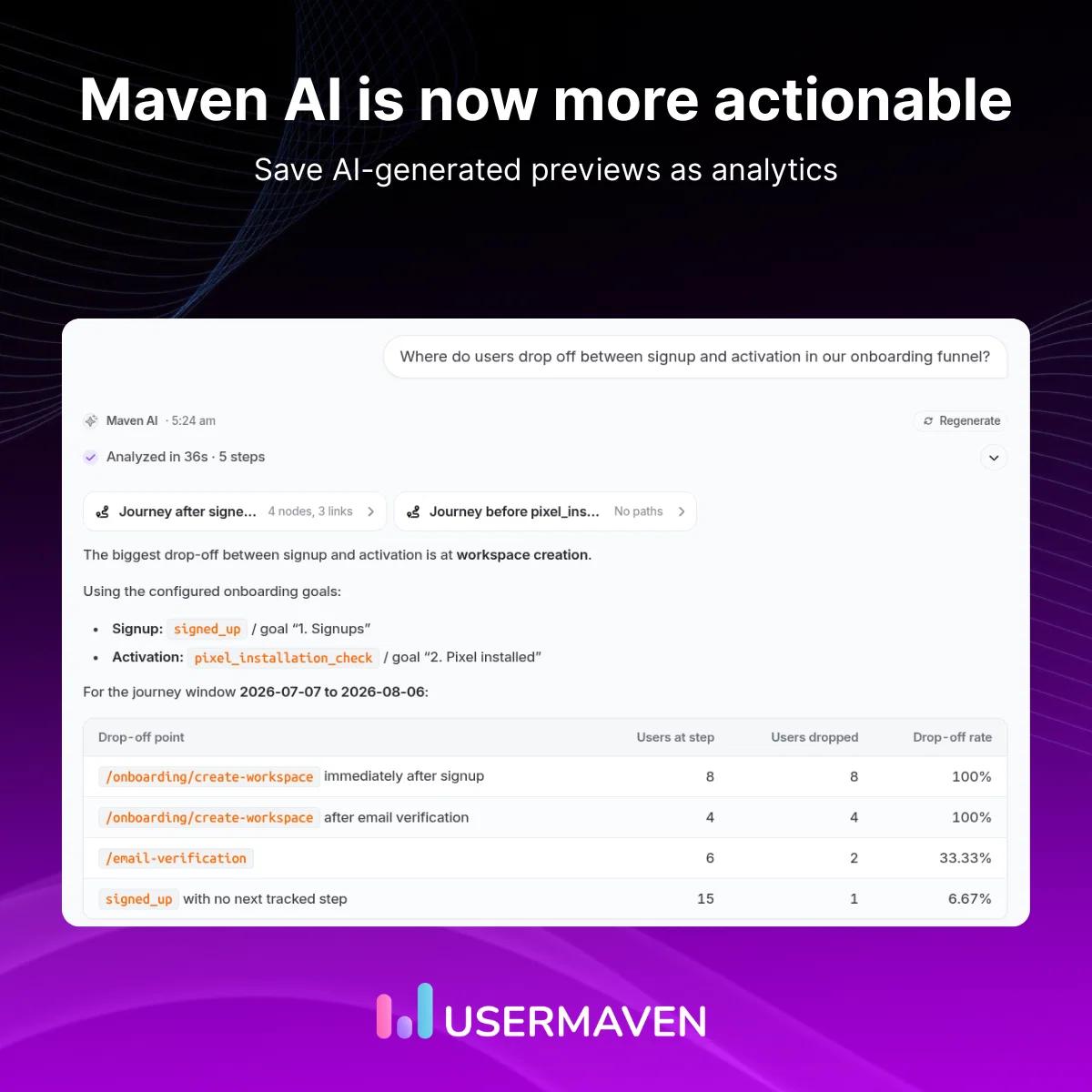
- Find drop-offs: "Where do users drop off between signup and activation in our onboarding funnel?"
- Build dashboards: "Create a dashboard tracking weekly active users, top referrers, and trial conversions."
- Set up goals & funnels: "Set up a conversion goal for completed onboarding and a funnel from pricing page to checkout."
- Explore your data: "What events and properties do we track? Which ones can I segment revenue by?"
Every prompt respects your Usermaven permissions, workspace policies, and OAuth scope. Write operations require explicit approval in interactive clients, and every action is recorded in a full audit log you can review from Settings.
🛡️ Measurement Trust Center
A new Trust Center gives you a single answer to the question: "Can I trust the data in this workspace?"
- Trust score: One score that tells you how ready your data is for decision-making.
- Five health pillars: Coverage across Collection, Identity, Integrations, Delivery, and Reliability.
- Actionable fix queue: Step-by-step remediation for every issue, right inline.
- Report readiness: Know which reports have complete data and which have gaps before you act.
- Workspace-level dismissals: Dismiss checks that are not relevant to your setup. Restore them anytime.
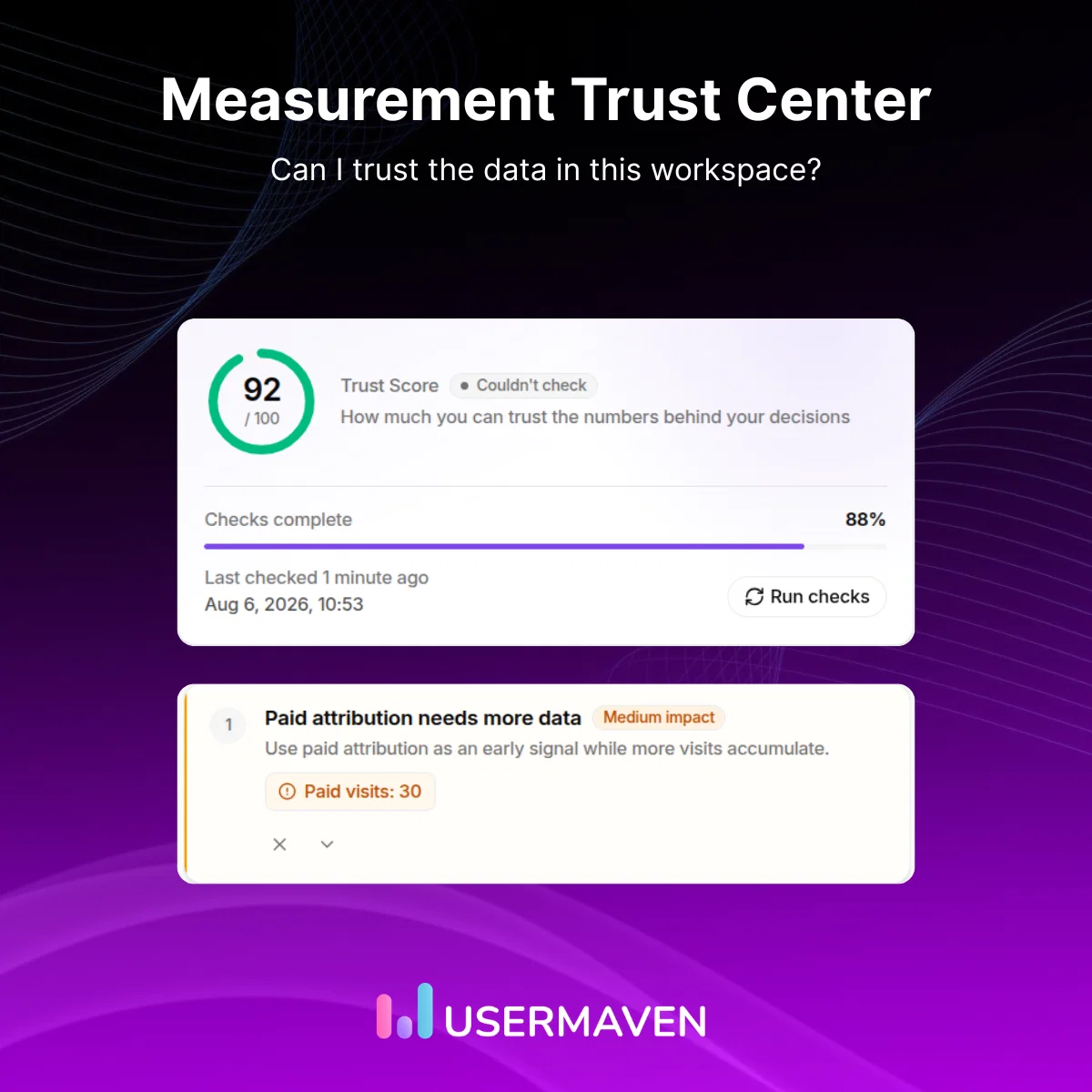
The Trust Center is designed for performance marketers, agencies, and product teams who need confidence that their analytics reflect reality before they make spend or strategy decisions.
✨ Maven AI is now more actionable
Maven AI has been updated to do more than just answer questions. Previews are now actionable, entry points are standardized, and the initial experience is improved.
- Save AI-generated previews as analytics
When Maven AI generates a funnel, retention, or journey preview, you can now save it directly as a report in your workspace. No need to recreate anything manually.
Ask Maven to analyze something, review the preview, and save it with one click.
- Standardized "Ask Maven" entry points
"Ask Maven" buttons are now available in consistent locations across the product. Whether you are viewing a trend, exploring a dashboard, or browsing the analytics library, you will find a clear entry point to open a conversation with Maven AI.
The AI side-panel experience has also been improved. It opens faster, stays in context with what you are viewing, and provides a smoother interaction flow.
- Improved chat experience
AI disclaimers have been refined to appear only when they are relevant, rather than on every first interaction. The initial chat experience is more focused, so you can start asking questions immediately without unnecessary friction.
📊 AI traffic dashboard
Measure how AI is driving traffic to your website with a new pre-built dashboard template.
As more users discover content through AI assistants and search engines, it is important to measure this channel alongside your existing sources. The AI traffic dashboard gives you two views:
- Track human visitors arriving from AI assistants and chatbots.
- Monitor web scraper and bot activity from AI search engines.
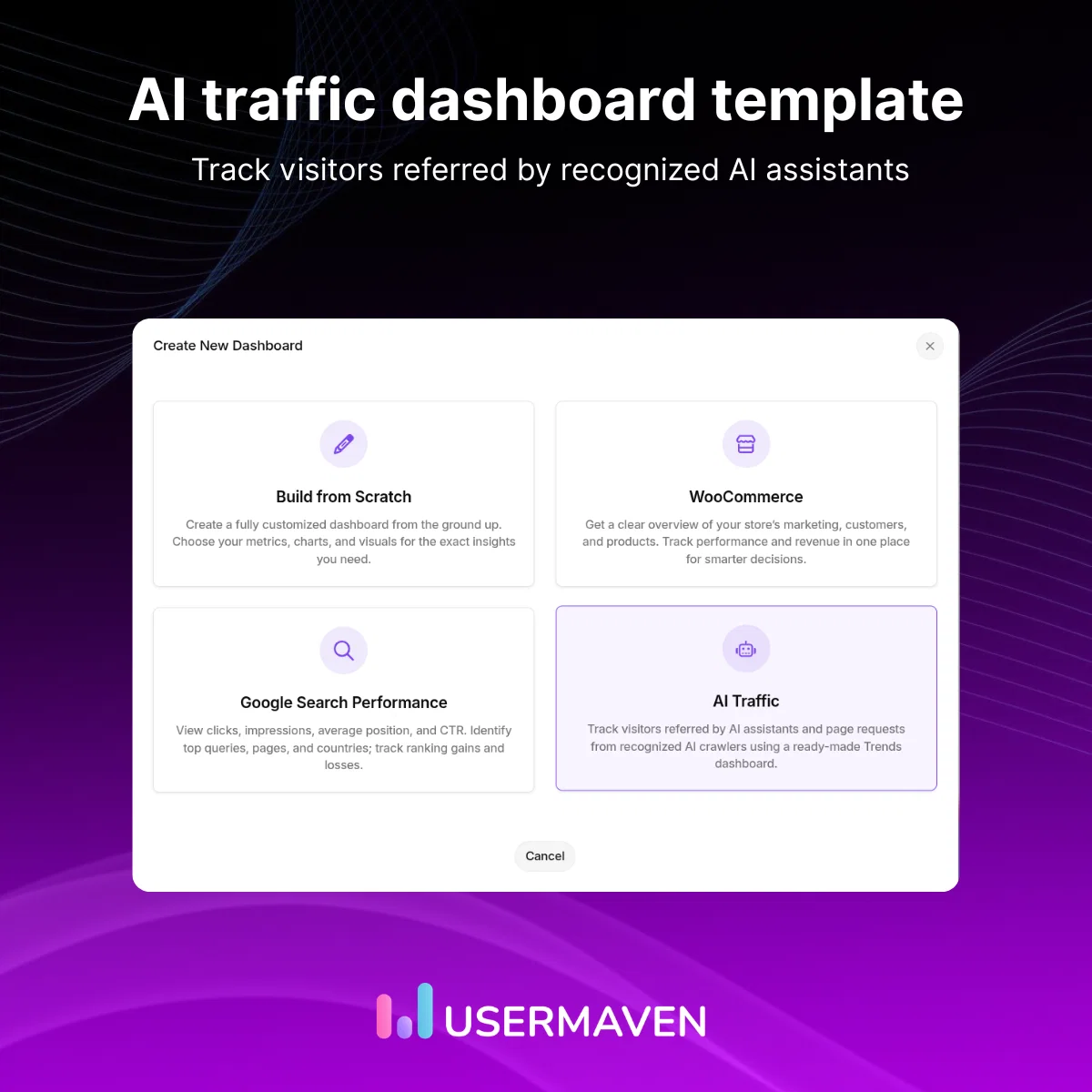
This dashboard is available as a template you can add to any workspace with one click.
🎓 Get started with personalized onboarding
Getting started with Usermaven is faster and more guided than ever.
Every new workspace begins with a goal selection step. Choose your primary objective, whether it is understanding website traffic, analyzing product adoption, improving acquisition, mapping customer journeys, or setting up analytics for clients, and Usermaven tailors the recommended setup path.
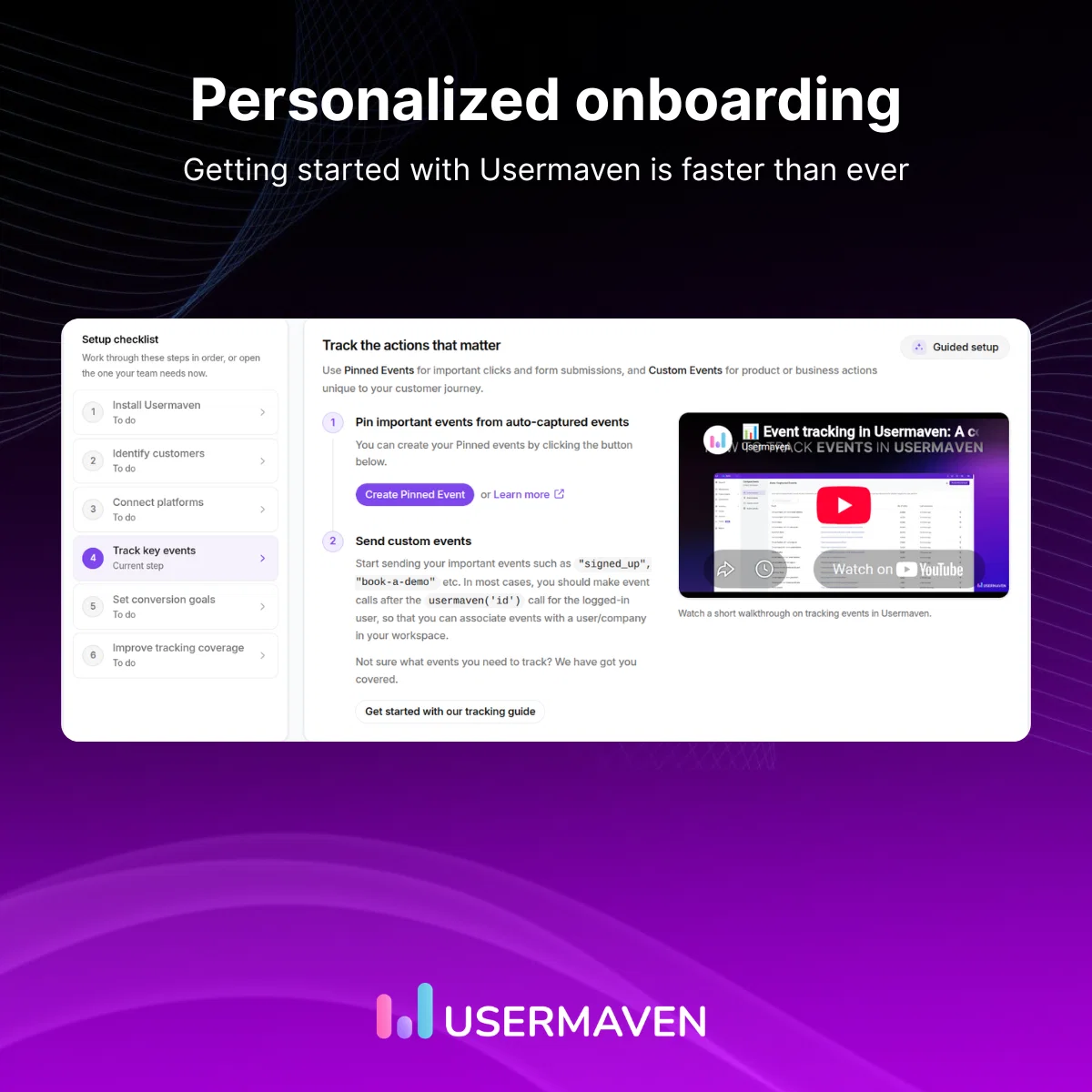
Each step, from installing tracking to connecting platforms to setting conversion goals, includes clear progress indicators and inline guidance. The new design makes it easier to see what is done, what is next, and what you can skip.
🛠️ Improvements
A range of improvements across dashboards, analytics, event sources, and the overall experience:
- API: New v2 segment and analytics endpoints, server-side conversion analytics, and agent-friendly API key limits. Read more: https://developer.usermaven.com/scalar
- Chart color customization: Choose from pre-configured color palettes (Tableau 10, Okabe-Ito, Tol Muted, Viridis, and more) or set custom colors per series. Includes colorblind-friendly modes for accessible reporting.
- Text tile theme: Customize background and text colors for text widgets on dashboards with preset themes or custom hex colors, with automatic contrast adjustment for readability.
- Event Sources improvements: Better webhook identity context preservation, deterministic session IDs, and improved identity lookup for more reliable event ingestion.
- Retention detail view: Aligned and polished the retention detail UI for a cleaner viewing experience.
That's a wrap for this release.
With MCP support, Usermaven becomes part of the AI tools you already use every day. Combined with the new Trust Center, a more capable Maven AI, and improvements across onboarding and APIs, this release helps you explore, trust, and act on your analytics with greater confidence.
We're excited to see what you build with it.
More updates are already on the way.